

1. Preview the plan
POST /api/mass-actions/preview validates the whole plan without persisting, charging or sending anything, and reports every finding at once.
- Step vocabulary. Only step-eligible verbs can appear in
plan.steps[].tool. Anything else fails withvalidation_failedand afield_errorsentry naming the authorable set, so the plan is repairable in one pass. - Scope shape.
objects(existing rows by sid),targets(per-item payload identities),generate(N slots, step 1 must create the object), ornone(a standing run an auto-scrape feeds later). All bounded at 100 items. - Schedule mandate. A plan with a send-class step must carry a
schedule; the per-gap interval is randomized between your min and max, because a fixed cadence is itself a detectable pattern. Omitscheduleonly for plans that can drain immediately.
action envelope returns a preview block (items_count, dangerous_steps, eta, warnings) plus commit_token and expires_at.
2. Commit it
POST /api/mass-actions takes the exact same inputs plus the commit_token. The token is an HMAC over those inputs and the caller: edit anything, and the commit fails with validation_failed; wait past 15 minutes, and it expires. Re-preview in either case.
Two behaviors to design around:
- The run is always asynchronous, even for one item. The returned
sidis your monitoring handle. - A still-valid token can be replayed, and a replay creates a second identical run. Discard the token the moment the commit succeeds.
canary_mode: "first_item", only item 1 dispatches until it succeeds. A canary failure pauses the whole run with paused_reason: canary_failed, so a broken template costs you one send, not a hundred.
3. Monitor to settlement
Runs are visible in the app whoever authored them: yourself, an API key, an agent over MCP, or the platform. Mass Actions lists them with their pacing, live counts and state.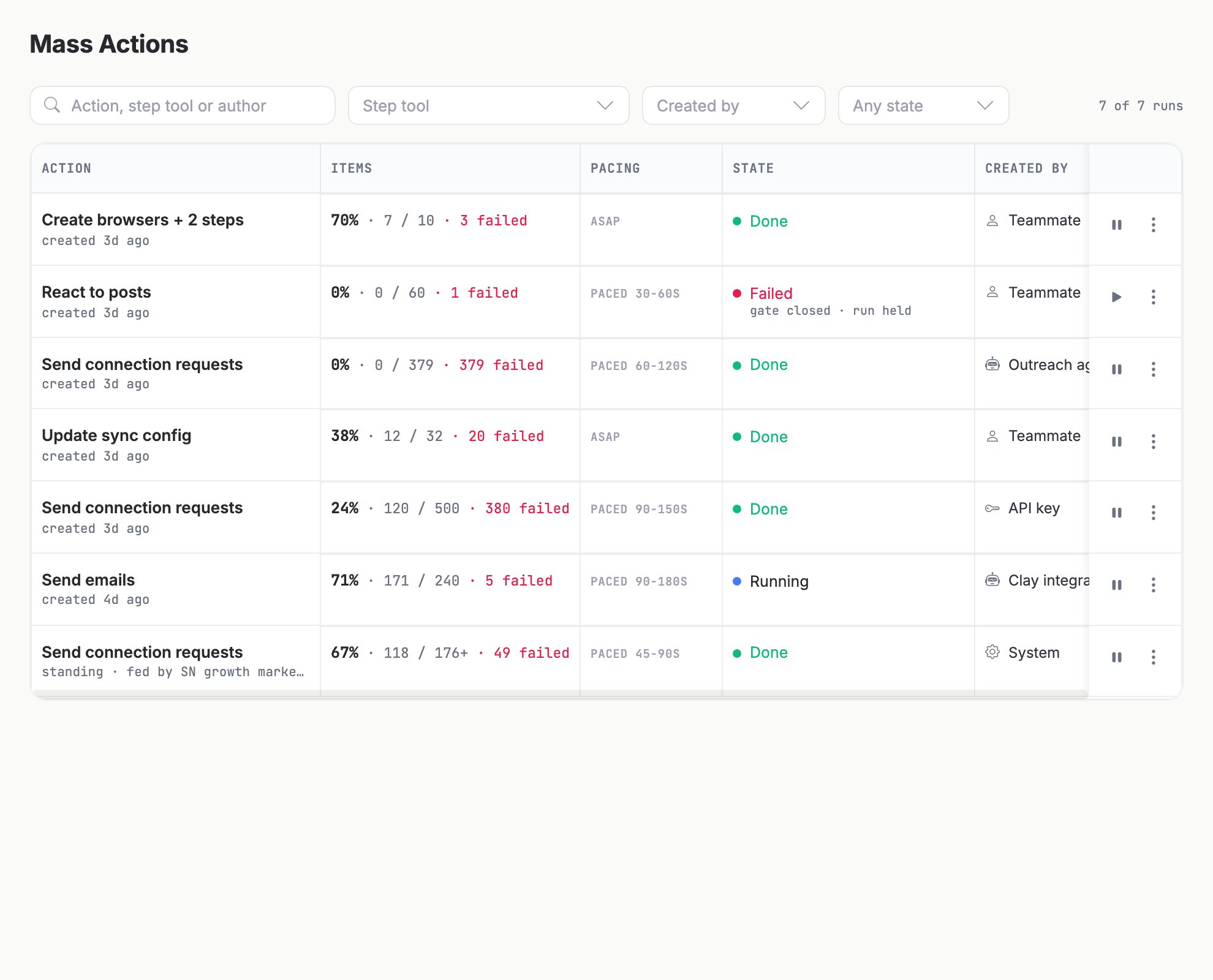
The Mass Actions list: one row per run, with items done against total, the randomized pacing window, the derived state and who authored it.
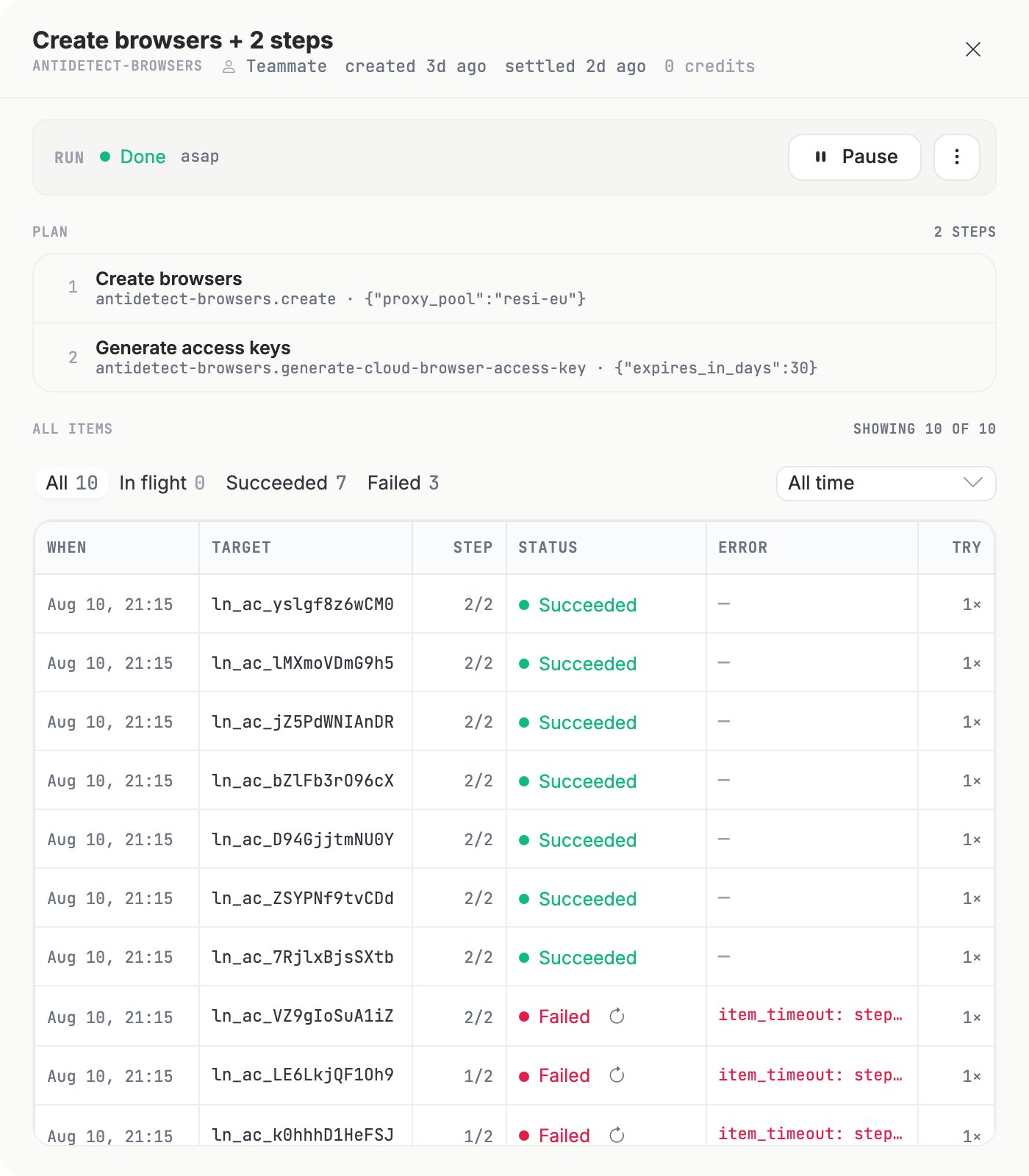
A run: the read-only step plan on top, then per-item rows with status, error and attempt count.
GET /api/mass-actions/{sid}?include[]=metricsreturns the run with per-status item counts.POST /api/mass-action-items/searchwithfilter: { "mass_action_sid": { "eq": "..." } }lists the individual items and their step logs.- Or skip polling: subscribe a webhook to the
mass-actions.settledandmass-actions.pausedevents.
POST /api/mass-actions/{sid}/pause and /resume, and /release for a standing run.
4. Retry failures
POST /api/mass-action-items/retry re-enters failed items at their current step. Completed steps are never re-executed, so there are no duplicate creates and no double sends. Target exactly one of a single item sid or a filter (pass mass_action_sid in the filter unless you mean every run). Only status: failed rows match; a retry matching nothing returns retried_count: 0, not an error.
One caveat from the description worth repeating: an item_timeout: failure means the outbound call may have landed. Check the target before retrying a non-idempotent step such as a send.